
Warehouse receiving is the process of identifying, verifying, and recording inbound freight at the dock, the first step that turns a purchase order into inventory a warehouse can actually use. It covers everything from truck arrival and unloading through scanning, putaway, and the inventory update that follows.
Inbound volumes keep climbing, and dock labor keeps getting harder to hire and retain. That combination is pushing more warehouses to automate receiving rather than add headcount, which is why the rest of this page covers automated inbound receiving in depth.
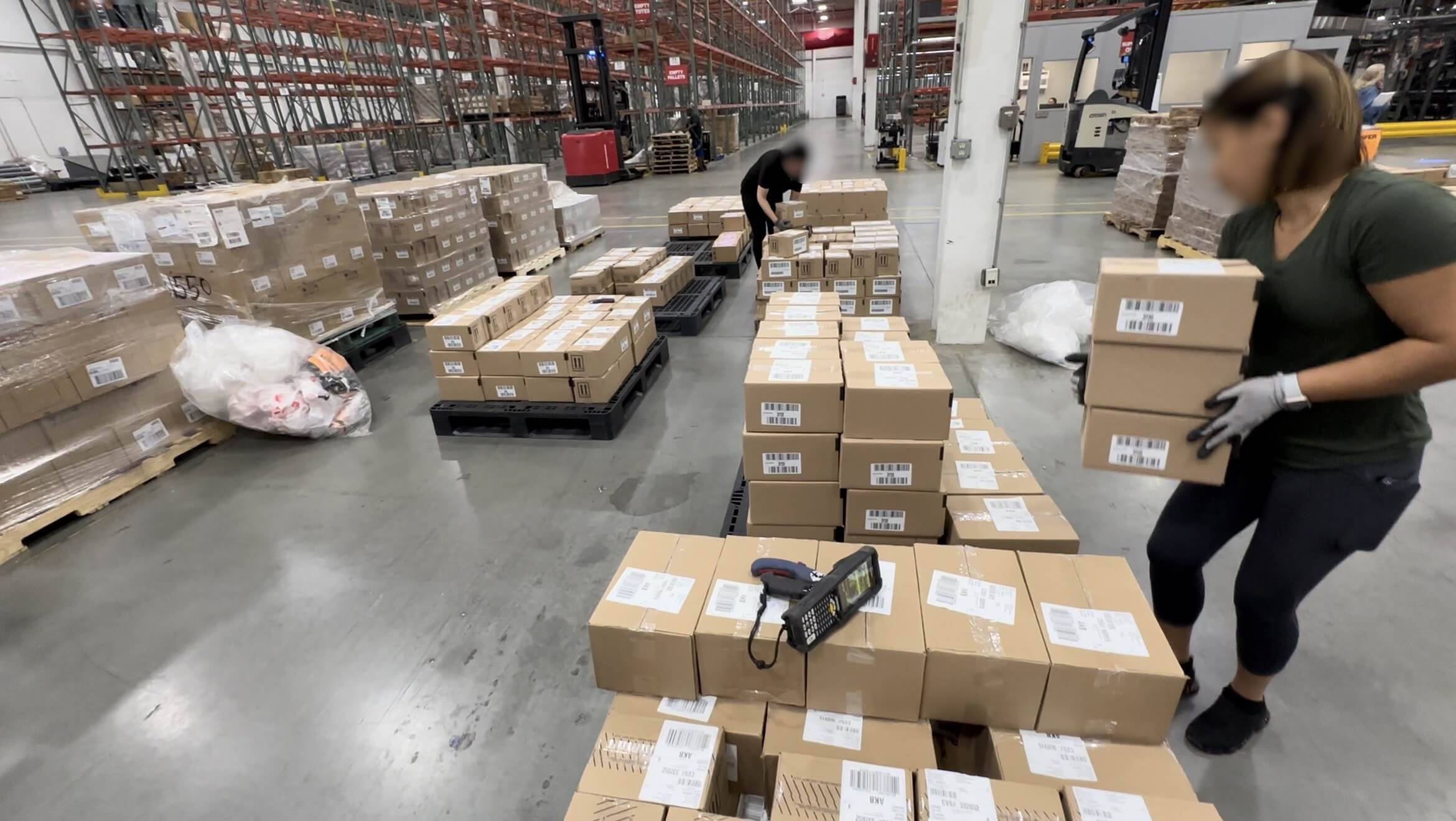
Warehouse receiving starts the moment a truck is assigned to a dock door and ends when that inventory becomes a verified on-hand line item in the warehouse management system (WMS). In a manual operation, workers unload the truck, scan each case by hand with a handheld scanner, and stage cases on the dock while they wait for putaway.
That manual process is slow because multiple processes are combined in one area.. It requires a large laydown area, and it typically uses batch uploaded consolidated files for WMS updates often as an end-of-shiftprocess, leaving purchase orders open for hours or days after freight has physically been processed.
Automated inbound receiving replaces that manual chain with AIDC scanning, vision, dimensioning, routing and tracking technology that confirms each case against its purchase order and updates the WMS the moment it's scanned, not at the end of a shift.
Why warehouse receiving matters: It's the first point where a purchase order becomes physical on-hand inventory. Every downstream process, warehouse replenishment, storage, and order fulfillment, inherits every error, delay, or damage that occur during receiving.
Inbound volume keeps growing, and dock labor becomes harder to hire and retain. Automating this process isn't a simple efficiency upgrade. It's an operating capacity decision.
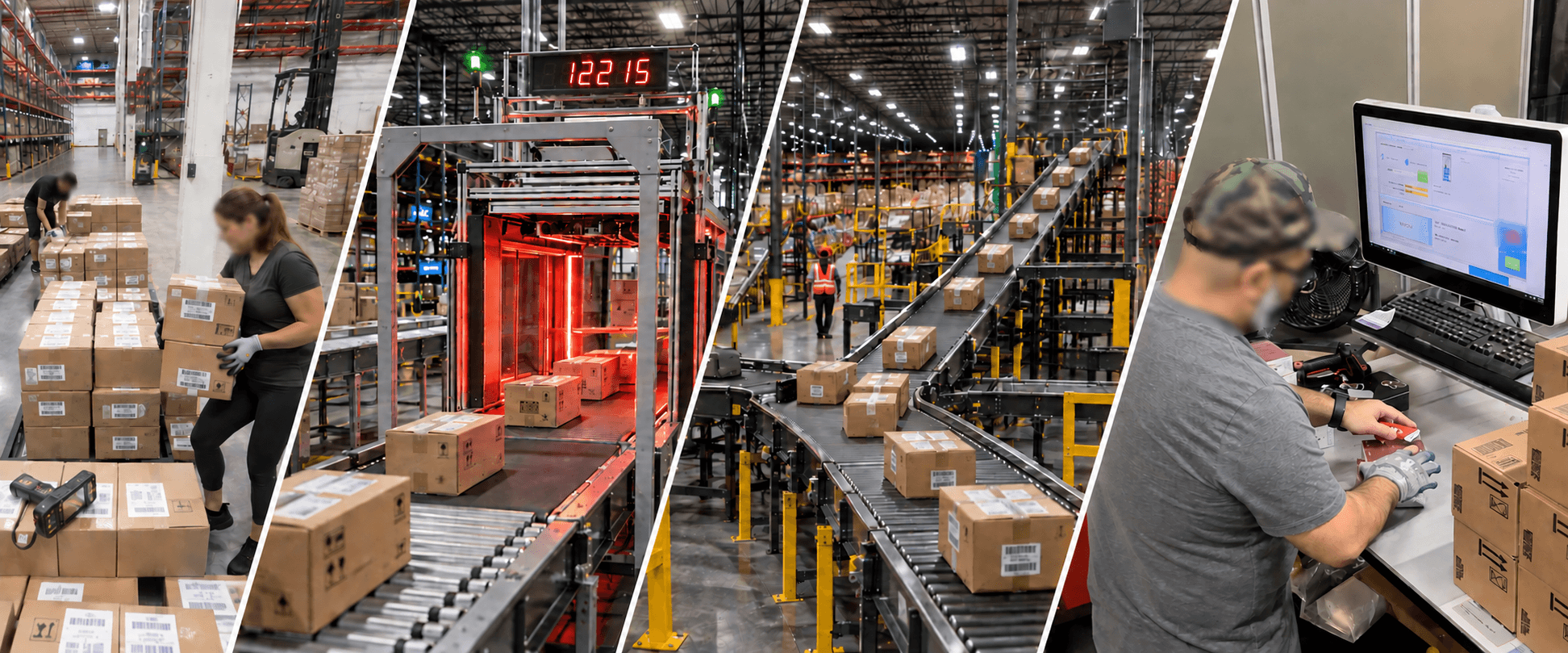
Automated receiving breaks into four connected stages, from scheduling the truck to making inventory available for pick at automated goods-to-operator stations.
Ideally, a truck arrives in the sequence set by its advance shipping notice (ASN). That ASN is already communicated to the transportation management system (TMS), which assigns the yard and door ahead of time.
In real receiving environments, ASNs are often missing or incomplete. That forces the dock to unload reactively. Lumpers double- and triple-handle cases to stage them, all while holding a handheld scanner with a small, read-only screen and looking up each case against an open PO.
Unlabeled or mixed pallets compound the problem. Nothing on a mixed-SKU pallet can be identified, scanned, or counted until workers break it down case by case. That requires a large laydown area and manual sorting from pallet to pallet, with inventory piling up across an ever-expanding floor.
Trucks that arrive floor-loaded rather than palletized, common when carriers optimize container loads, remove even that pallet-level shortcut. Every case has to be handled and scanned individually, often more than once during offloading.
The hardest version of this problem is a consolidator load. Cases from a single purchase order arrive across five or more trailers, on different delivery days, from a consolidator combining multiple vendors' purchase orders with no sequence across the trucks.
Without a truck-specific ASN manifest, reconciliation can't happen until every trailer is unloaded and staged. Operators then comb through the dock to identify every item and PO in that group of trucks. Purchase orders can stay open for days while items sit on an unloaded truck, or worse, sit uncounted on an expanding staging dock, a manual miscount waiting to happen.
Once cases are off the truck, a omnidirectional scan tunnel provide Automatic Identification and Data Capture (AIDC) primarily using the barcode format present (GS1-128, UPC, ITF-14, QR, or SSCC) at conveyor speed, instead of depending on manual hand scan of labels. AIDC also captures length, width, height dimensions and weight in the same pass, providing g a second data point to verify a case against the purchase order when label or ASN data is missing, incomplete or doesn't match.
If a vendor label is missing, damaged, or unreadable, the system applies an internal LPN label at first scan, to track the case through reconciliation and the rest of its routing through the facility.
Once a case is identified and verified, the system routes it to one of three destinations. Inventory headed for storage moves to putaway of full pallets or single case storage. Case-level goods that need to become each-level or tote-level inventory route to decanting, covered in full on the Decanting Automation page.
Freight already allocated to an outbound order, by-passes storage , and is routed to cross-dock instead. The system scans it, verifies it, and sends it directly to outbound staging, without ever being put away. Getting this routing decision right at the point of scan keeps cross-dock freight moving, streamlines dock space and eliminates multiple handling
For inventory directed to storage, putaway assigns a location based on movement velocity for storage slotting. The system updates the WMS and ERP at receipt confirmation, not at putaway completion and not in a later batch upload file. That's what makes automated inventory management possible: the inventory record reflects true on-hand quantity within minutes of physical receipt along with location tracking.
Warehouses increasingly treat automated warehouse receiving and automated inventory management as one connected function rather than two separate systems, because they are synchronized by automated receiving
Automated receiving builds on a modular set of technology capabilities:
The benefits show up in three operating locations: the dock, the inventory record, and the clock.
Manual receiving concentrates labor on routine counting and re-checking rather than resolving inventory discrepancies. Lumpers double- and triple-check cases using a handheld scanner with a small screen and keyboard UI wherever ASNs are incomplete.
Automated scanning and dimensioning remove that repetitive work. Dock labor shifts to the exceptions that actually need an operator to sort out, not to repetitively count cases that already match the manifest.
An inventory record is only as accurate as the receiving event that created it. When cases are scanned, dimensioned, and reconciled against the purchase order in real time, automated inventory management reflects true on-hand quantity within minutes, not after an end-of-shift batch update. This is critical in eCommerce or Omnichannel operations.
That accuracy compounds downstream. Purchasing, replenishment, and fulfillment all depend on accurate receiving records. Finance can verify additional savings on reduced inventory carrying costs, especially where vendors use smart contracts.
Dock-to-stock time is the gap between a truck arriving and that inventory being available to pick, replenish, or ship. Manual receiving stretches this gap to hours or days, once batch WMS updates, end-of-shift verification, and extended staging to sort and sequence items are factored in.
Automated receiving compresses it to minutes. The scan event and the inventory update happen real-time, not as two separate steps on two separate timelines.

The two approaches diverge most sharply on three factors: how errors happen, how fast freight becomes available inventory, and how each handles a volume spike.
| Factor | Manual Receiving | Automated Receiving |
|---|---|---|
| Identification | Handheld scanners, manual cross-check against paperwork or PO lookup | Multi-format scan tunnel captures data at conveyor speed and determines routing to the next work cell |
| Typical error rate | Higher. Compounded by incomplete ASNs, mixed pallets, and repeated manual handling | Reduced. Real-time scan and dimension data route exceptions to a dedicated reconciliation station |
| Dock-to-stock time | Hours to days. Batch WMS updates leave POs open and inventory staged on the dock | Minutes. Scan, allocation, and inventory update happen as one event, no laydown delay. Uses AIDC technology. |
| Labor allocation | Spent on repetitive counting, look-ups and paperwork to determine routing | Redirected to exception handling. Workers become operators overseeing automated receiving |
| Peak volume handling | Requires proportional headcount increases, which create bottlenecks as inefficiencies compound | Scales across all shifts at known conveyor and scan-tunnel rates, not headcount availability |
Manual receiving error rates climb whenever an ASN is incomplete or a pallet arrives mixed and unlabeled. Verification falls back on a person cross-checking against paperwork with a handheld scan gun and its small screen and keyboard UI.
Automated AIDC scan and dimension data gives a second, independent check on every case. Discrepancies get flagged at the point of scan and sent to a station with an ergonomic setup, large touch screen, and full-sized keyboard, instead of turning up days later in an inventory audit caused by a data-entry error.
Manual receiving typically batches WMS updates as an end-of-shift or overnight job, unloading as much inventory as the laydown area allows before scanning, processing, and matching it against POs. Workers then consolidate all that scan work into a file for validation, and only after that can cases move into storage slots.
That's why manual dock-to-stock time stretches into hours or days: correctly labeled inventory sits and waits alongside inventory that needs rechecks and audits.
Automated receiving updates the WMS in real time, at the moment of scan, so inventory is available for storage or, more importantly, for warehouse replenishment and fulfillment within minutes of physical receipt. Cases that need inspection or audit follow soon after and no longer hold up the rest of the dock.
A manual receiving operation scales by adding headcount and space. That's difficult during peak season, when dock labor is hardest to find and space is at a premium.
An automated operation scales within its existing conveyor and scan tunnel capacity, to a known rate. Peak volume becomes a throughput question, not a staffing question.
Automated receiving investment scales with facility volume, the number of dock doors eligible for automation, and the number of shifts run. Payback is typically driven by labor redeployment and lower inventory carrying costs, not any single line item or KPI.
Decant Automation's published ADDRIS platform performance shows a 15-month return on capital investment, with $3.6 million in annual labor savings at a rate of 850 boxes per hour across two shifts. Box Opening alone provides a 6-month ROI, with annual labor savings of $1.05 million at a rate of 500 boxes per shift over two shifts.
Facilities considering automated receiving should model payback against their own dock labor cost and current dock-to-stock time, since both vary by facility size and inbound volume. The bigger business case: automated receiving can increase a facility's entire output, not just its receiving throughput.
Three questions shape how a warehouse receiving operation should be sized and configured for automation:
Inbound volume, and the mix of uniform versus mixed-SKU pallets and floor-loaded freight, determines how much scan tunnel and dimensioning capacity a facility needs. It also determines whether depalletizing automation is required upstream of the scan tunnel, or whether manual induction is enough at current volume.
Where inventory ends up in the warehouse determines the size and type of work cells needed to handle pallets, full cases, and break pack inventory that requires decanting and tote consolidation.
Automated receiving only delivers on inventory accuracy if it writes to the WMS and ERP in real time through a direct API, not a batch file transfer. Confirm this integration path before selecting a system, or the automation ends up replicating the same batch-delay problem it was meant to solve.
Facilities coordinating cross-docking from receiving need routing logic that identifies pre-allocated orders at the first point of scan and sorts them straight to outbound staging. Higher-volume facilities need that same sorting logic for case-level decanting into tote-based automated fulfillment systems. Decanting system configuration and operation is covered in full on the Decanting Automation page.
Decant Automation's modular equipment and complete platform, ADDRIS, connects dock scheduling, TMS, scanning, routing, and inventory updates into one system, alongside WES, WMS, and ERP, as a single integrated stack rather than separate connections to manage. A continuous improvement process tracks which SKUs aren't yet automation-eligible and why, so SKU coverage keeps expanding and vendor compliance improves instead of staying capped at the original percentage from install.
An industry leader in retail and e-commerce, with a distribution operation processing tens of millions of inbound cases annually, began deploying automated receiving that included DAC Robotics box-opening technology across its network. The case was clear: at 35 million cases opened a year, the deployment delivered $5.8 million in annual savings per facility against a $2.5 million system cost, with a 15.7% efficiency improvement in inbound throughput overall.
The result came from the same combination covered above: real-time scan and identification, automated routing, and inventory updates written at the moment of receipt rather than in a batch run after the shift ends.
Warehouse receiving utilizes Automatic Identification and Data Capture (AIDC) in the process of accepting, verifying, and recording inbound freight at the dock, the first step that turns a purchase order into usable inventory. Automated inbound receiving uses scanning, dimensioning, and routing technology to do that work in real time, replacing manual handling, counting, and using handheld scanning of barcode workflows.
It covers everything from dock scheduling with TMS through putaway into pallet-, case-, or item-level systems. It's the first point in the supply chain where a purchase order becomes verified physical inventory.
Automated receiving writes to the WMS the moment a case is scanned and verified, instead of on an end-of-shift batch job. Inventory becomes available to warehouse replenishment and fulfillment within minutes of physical receipt, rather than hours or days later.
Real-time scanning, dimensioning, and verification replace the manual counting and paperwork that typically require a large laydown area and repeated handling, the main cause of delay to stock.
Cross-docking is when inbound freight is already allocated to an outbound order before it reaches a storage location. Instead of being put away, it's scanned, verified, and routed directly to outbound staging, often the same day it arrives.
Automated receiving identifies cross-dock freight at the point of scan, so it routes directly to its outbound destination without passing through general storage.
Automated receiving updates the WMS and ERP directly through a real-time API when a case is scanned and matched against the purchase order, not through a batch file transferred later.
That real-time write is what makes automated inventory management possible: the on-hand record reflects true inventory within minutes of physical receipt instead of after a delayed update.
Manual receiving relies on a handheld scanner with a small screen and keyboard, and a person cross-checking cases against that screen or paperwork. WMS updates are typically compiled into a file for batch upload at the end of a shift.
Automated receiving uses a scan tunnel and dimensioning system to identify every case or pallet and route it accordingly. Audit stations, with large monitors and an easier interface, handle the small percentage of cases that need a person, while every other case moves at conveyor speed and writes its inventory update the moment it's scanned, not hours or days later in a batch.
Cost scales with facility volume, inventory handling applications, and the number of dock doors eligible for automation, so figures vary by facility.
As a reference point, Decant Automation's published ADDRIS platform performance shows a 15-month return on capital investment, with $3.6 million in annual labor savings alone, based on an average rate of 850 boxes per hour across two shifts. That figure doesn't include efficiency gains at downstream stations, reduced inventory carrying costs, or savings on healthcare and HR
ADDRIS sorts and processes inventory that requires decanting from cases. It combines dock scheduling and ASN matching, multi-format scan tunnel identification, dimensioning, label application, and routing logic into a single connected platform, writing directly to the WMS and ERP on receipt.
It's designed so receiving, decanting, and replenishment run as one connected workflow, sending fully automation-eligible inventory straight through while routing the cases that need a person to audit or reconcile, instead of forcing every case through the same manual steps that bottleneck receiving docks.
Our team builds full ADDRIS design studies, including integration with your existing WMS, WCS, and ERP.